
Inter Miami vs D.C. United is available through MLS on Apple TV in 2026. If you searched onde assistir Inter Miami x DC United, first check the date: the October 10 meeting has already finished. Miami won 4–0 at Nu Stadium. This guide contains that result, identifies the earlier Baltimore game, and explains how to find the correct official viewing page from Brazil or another supported market. Information was checked on October 11, 2026.
Inter Miami vs D.C. United: which 2026 match are you looking for?
The same two club names can lead to two different games. D.C. United hosted Miami on March 7, while Miami hosted D.C. on October 10. Both were MLS regular-season fixtures, and both are completed matches at this guide's cutoff. A search result headed “watch live” can remain indexed after the final whistle; the title alone does not establish that another meeting is about to start.
| Stadium-local match date | Home team and venue | Final result | Viewing task now |
|---|---|---|---|
| March 7, 2026 | D.C. United, M&T Bank Stadium in Baltimore | D.C. United 1–2 Inter Miami | Find the March archive |
| October 10, 2026 | Inter Miami, Nu Stadium in Miami | Inter Miami 4–0 D.C. United | Find the October replay or highlights |
The October result is confirmed by Miami's official match report. Lionel Messi and Luis Suárez each scored twice. That report names New York City FC, on October 14 at 7:30 p.m. Eastern, as Miami's next opponent. It does not announce another immediate game against D.C. United. No later Miami–D.C. fixture was verified for this guide, so there is no new kickoff countdown to display.
For the March meeting, D.C.'s post-match account confirms the 2–1 Miami win in Baltimore. This matters if an older article discusses a D.C. home game: it is describing a different event from the October match in Miami. Reading the venue is often faster than trying to decide which year a recycled photograph represents.
Choose your purpose before opening a stream. Someone checking yesterday's result needs the October archive; someone revisiting the early-season away win needs March. Someone following Miami's next live game should use the Inter Miami schedule and match the next opponent, rather than keep searching this pairing. Saving the date alongside the club names prevents an old preview from becoming the plan for a new evening.
Where to watch Inter Miami vs D.C. United in Brazil and abroad
For a viewer in Brazil, begin at MLS on Apple TV's Brazilian site, or open MLS in the Apple TV app. Apple's Brazilian announcement confirms that all MLS games are included with an Apple TV subscription in 2026. The October Miami–D.C. game belongs to that regular-season coverage. You do not need to identify a different broadcaster merely because Miami is playing an away game or because you live outside Florida.
Apple describes coverage in more than 100 countries and regions without MLS blackouts. Use the service's page for your own market when checking availability and purchase terms. A United States subscription amount in a search snippet is not a Brazilian price, and a historical launch offer is not necessarily the amount shown on your account today. The account's current confirmation screen is the useful place to settle a purchase decision.
On a television, open the match you identified by its date; on a computer, the official website is another route. Apple's Brazilian support instructions identify web viewing and supported Apple, Android and other device categories. Check support for your particular screen rather than assume that the name Apple TV requires buying an Apple TV 4K box. The app, subscription and hardware serve different purposes.
Why old MLS Season Pass instructions can be misleading
The standalone MLS Season Pass subscription ended after 2025. Apple's 2026 coverage announcement is the relevant package description. Some archived club previews still use “MLS Season Pass” when describing where to navigate. That older label does not mean you should buy an additional soccer subscription after signing in with valid Apple TV access.
If you already subscribe, try the correct MLS event before arranging another payment. If access is missing, use our Apple TV subscription guide for account and migration questions. Keeping billing separate from fixture identification prevents a simple wrong-date search from turning into a second subscription.
A Portuguese webpage also does not establish Portuguese match commentary. Check the audio choices on the event itself. Similarly, a broadcast shown on a domestic channel in another country does not prove a Brazilian channel carries this game. For this matchup, the verified starting point is Apple TV; any additional option needs its own dated, market-specific listing.
Kickoff times: convert the date as well as the clock
Use the kickoff announced by the host club as the reference, then convert it for the place where you are watching. The March game was scheduled for 4:30 p.m. Eastern; the October game for 7:30 p.m. Eastern. These are historical advertised kickoff times. They help identify an archive, but neither is a time for an upcoming Miami–D.C. broadcast.
March 7 and October 10 used different Eastern offsets
Eastern Time was UTC−5 on March 7 and UTC−4 on October 10. That difference changes the conversion to Brazil even though both clubs play in the Eastern time zone. For a viewer using Brasília time, the March kickoff converted to 18:30, while the October kickoff converted to 20:30. Adding the same fixed number of hours to every Eastern listing would get one of those dates wrong.
| Historical fixture | Eastern kickoff | UTC | Brasília time | London local time |
|---|---|---|---|---|
| March 7 in Baltimore | 16:30 EST | March 7, 21:30 | March 7, 18:30 | March 7, 21:30 GMT |
| October 10 in Miami | 19:30 EDT | October 10, 23:30 | October 10, 20:30 | October 11, 00:30 BST |
The London column shows why an October 11 date can describe the same match that Miami calls October 10. The calendar changes after crossing midnight. A date difference is therefore not automatically evidence of a postponement or a third meeting. Compare the timezone and venue before deciding that two listings contradict one another.
A Brazil viewing example without a false next-match countdown
For the October game, a São Paulo viewer's reminder would have read “October 10, 20:30 Brasília time: Inter Miami versus D.C. United, MLS.” A viewer in another Brazilian time zone would need the appropriate local conversion. Writing the zone explicitly is useful when sharing a reminder with family elsewhere, rather than assuming everyone means the same clock by “horário do Brasil.”
Also distinguish kickoff from the start of a studio program. If you choose to arrive early for pre-match discussion, keep that separate in your calendar. For a future fixture, repeat the conversion using that fixture's actual date and the current official listing. Do not reuse October's offset or treat an archived time as a pending notification. Our MLS TV schedule can help identify current fixtures; the dated club announcement anchors the conversion.
Find the correct match replay or highlights
For a complete recording, search MLS in Apple TV and open the past match whose date and venue match your choice. Apple's Brazilian instructions distinguish the condensed Recap option from watching the full replay. Button labels and layout can differ by device, so identify the event first and then select the full-match option shown there. A one-minute goal item is not the complete recording.
For October, look for Inter Miami as host and Nu Stadium as venue. For March, look for D.C. United as host and the Baltimore event. These checks are useful even if the service translates “versus” to “x” or reverses how it displays team names in a search result. The date and host are stronger identifiers than the exact punctuation in the event title.
If you only want the October goals and main incidents, MLS provides official October 10 highlights. The sequence starts with Suárez's two first-half goals and continues with Messi's second-half brace. Choose the full replay when you want to follow how Miami's attacks developed or how D.C. responded between those finishes, rather than see only the scoring moments.
There is a useful football reason to revisit more than the final score. Miami's report describes Dayne St. Clair denying Tai Baribo in the 16th minute, when the lead was still one goal. Watching that period in sequence gives the later 4–0 result more context. The March archive offers a different story, with D.C. pulling a goal back through Baribo in the 75th minute and looking for an equalizer. A single collection of Messi clips cannot represent both matches.
This page has already disclosed the results. If you want a future replay without knowing the score, enter the viewing service directly rather than open a results article first. For a broader explanation of short clips versus full recordings, use our MLS highlights and replay guide. For this pairing, the essential extra step is selecting the right dated meeting before pressing play.
The two venues explain why home and away matter
The March game was a D.C. United home fixture played at M&T Bank Stadium in Baltimore, Maryland. That is the location confirmed by D.C.'s match preview and final report. Calling it a home match does not place it automatically at a stadium in Washington. For an archived broadcast, the Baltimore setting is another way to confirm that you have selected the March meeting.
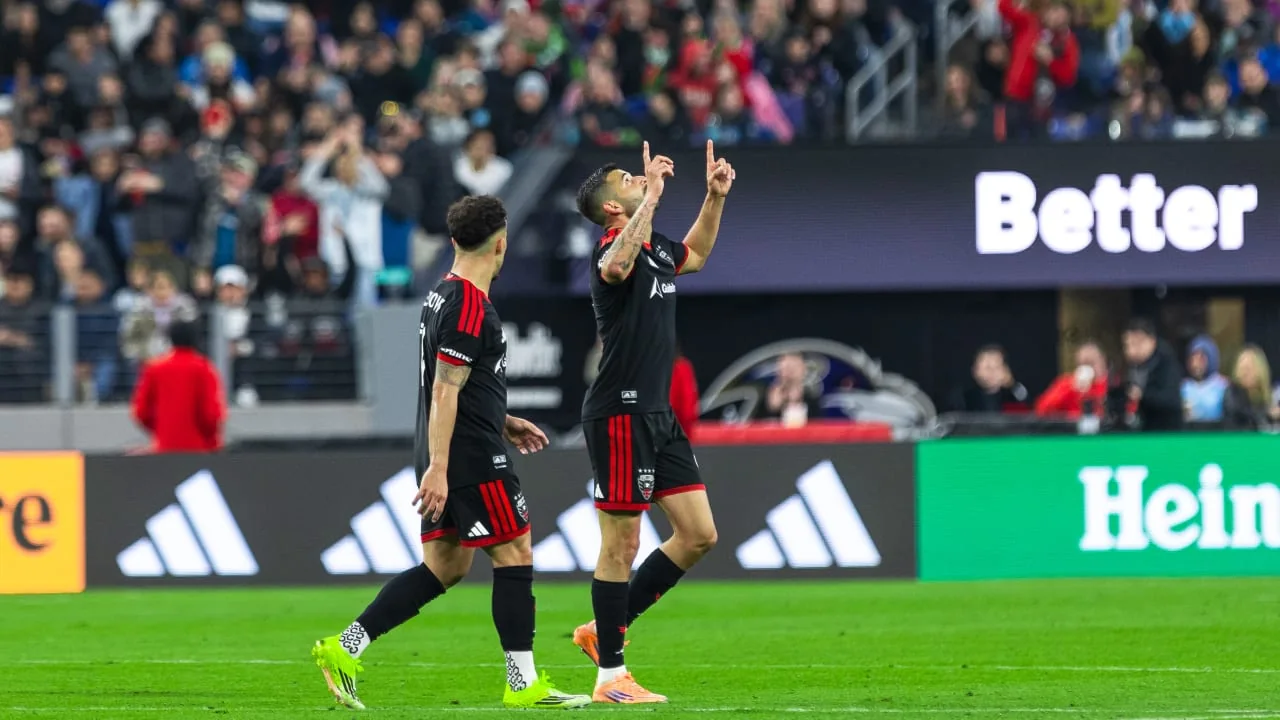
October's return meeting was at Nu Stadium in Miami. Keep the locations attached to their dates. Baltimore's involvement in March does not establish the venue of a future D.C. home meeting, just as an older Miami venue reference does not identify the October ground. The host's current event announcement is the document to use whenever another matchup is scheduled.
For streaming, the coverage does not switch to a separate away-game package. The same MLS subscription entitlement covers home and away regular-season games. Venue can, however, help explain available commentary choices: Apple's television guide describes a home-team local-radio option when available. Check the actual event's options rather than assume a D.C. radio feed accompanies every Miami–D.C. video.
Use the actual lineup for an archived match
The March and October broadcasts also show different Miami selections. In March, D.C.'s final record lists Messi, Mateo Silvetti and Germán Berterame in the starting team, with Suárez an unused substitute. In October, Miami's published starting XI places Messi, Suárez and Berterame together in the front line. An early-season predicted team would therefore be a poor companion to the October recording.
The coaching references differ as well: March's match record names Javier Mascherano; October's actual lineup announcement names Cristian González. When a preview uses older personnel, check its date before treating it as current. For a replay, use the final lineup; for a future live match, wait for that match's official selection. Familiar names on a poster explain interest in the broadcast, but the actual XI tells you who was chosen to start.
How to confirm the next Miami–D.C. broadcast when a fixture is announced
Keep this pairing as a search term, but require a new dated fixture before making a live viewing plan. Start with the Inter Miami schedule or D.C. United schedule. Find the opponent, season, competition and host. A page that still advertises tickets or a “live” video for March or October is an archive until it identifies a different event.
Then follow these checks in order:
- Confirm that the newly announced fixture really pairs Miami with D.C., rather than Miami with another United club or New York City FC.
- Read the competition label. MLS regular-season coverage is established here; do not assign the same broadcast arrangement to every possible cup, exhibition or youth match.
- Record the host's announced kickoff with its timezone, and convert both date and time for your viewing location.
- Open the corresponding official event in your regional Apple TV service if it is an MLS fixture covered there.
- Check your existing account access and the event's audio options before setting the final reminder.
For example, a notification saying “Miami plays Wednesday” is incomplete. At this guide's cutoff, Miami's next announced game is against NYCFC, not D.C. Searching only Miami and D.C. would send you back to the completed October event. Keeping the opponent in your reminder is just as important as keeping the kickoff time.
If a later announcement changes a time or venue, update the reminder using that new club notice and recheck the viewing card. Do not average conflicting times or assume an old preview was silently corrected. A clear record might contain the event date, local kickoff, competition, stadium and official viewing link in one place. That is enough to distinguish the next meeting from the two completed games described here.
Use the current MLS fixtures and results when following the league beyond this matchup. For Miami–D.C. specifically, the durable viewing route is to identify the dated game first, choose live or replay second, and then open its official broadcast. That sequence remains useful when the clubs next meet without presenting an unannounced fixture as confirmed.
Comments
Comments are reviewed before publication.
Spam, abusive content, personal information and policy-violating links are not published.
Sign in with Google to comment or reply.
Loading comments…