
MLS fans can watch much more than a final score: single-goal clips, match highlights, league-wide goal collections, short recaps, studio wrap-ups, and complete match replays are all available through official destinations. The challenge is choosing the correct format and finding it without accidentally opening the result first.
This guide is current as of August 13, 2026. In current product language, MLS video and replays are part of an Apple TV subscription; “MLS Season Pass” refers to the separate subscription used through 2025 and may still appear in older search results.
Where to watch MLS highlights, goals, and full match replays
Use Apple TV for the most complete on-demand path. Open the Apple TV app or tv.apple.com/sports, search for MLS, and enter the league destination. After a game ends, Apple's official workflow sends viewers to Past Matches. Select the match, choose Recap for the short highlights version, or choose Watch for the full replay.
Use MLSsoccer.com when you want fast, official short-form video. Its video hub organizes match highlights and “All Goals” programming, and its match-highlights topic page collects current game packages. Individual goal clips also appear on match and league pages. The inventory and presentation can change, so a missing clip in one shelf does not prove that no official video exists.
The quick rule is simple: Apple TV is the first stop for full matches and its own recap choices; the MLS video hub is the first stop for easily browsed web highlights and goal clips. Written match recaps add quotes and context but are not a video substitute. If the game is still live, use the MLS TV schedule rather than looking for a replay that has not yet been processed.
Highlights, goals, recaps, and full replays are different formats
A goal clip isolates one scoring moment. It is ideal when you already know what happened and want to see the finish, assist, or decisive mistake. An All Goals collection widens that idea across a matchday. Neither format explains every chance, tactical change, or long stretch between goals.
Match highlights or Apple's Recap compress one fixture into its major action. The package can include chances, saves, cards, and turning points beyond the goals. Official pages do not promise one fixed length for every recap, so treat “short” as a relative description rather than a guaranteed number of minutes.
A studio wrap-up covers multiple games and organizes the league-wide story. A written match recap supplies text context and may embed clips. A full match replay is the choice when chronology matters: it preserves the broadcast rather than selecting only the most dramatic moments. Apple's support page distinguishes Recap from the full Watch option.
Choose based on your unanswered question. “How was the goal scored?” calls for a clip. “What decided this match?” calls for highlights. “What happened around the league?” calls for Every Goal or a wrap-up. “How did the tactical contest develop?” calls for the complete replay.
How to find a full MLS match replay in Apple TV
- Open the Apple TV app or the Apple TV Sports website and sign in.
- Use Search and enter “MLS.”
- Select the MLS destination.
- Scroll to Past Matches and select the fixture.
- Choose Watch for the full replay; choose Recap only when you want highlights.
Apple also says you can search directly for a match. That is useful when a busy Past Matches shelf is slower than typing the club names. Once a full replay starts, Apple Support says the audio can be changed to Spanish, and some replays are available in French. “Some” means French should be checked match by match, not advertised as universal.
If only a recap appears immediately after the final whistle, refresh later and search for the exact matchup. Apple's guide confirms that full replays are offered but does not promise the same processing interval after every match. Also verify that you selected Watch rather than the more prominent Recap card and that the Apple Account has the active subscription.
Menus can vary by device and region. The stable concepts are Search, MLS, Past Matches, and the distinction between Recap and Watch. Older tutorials built around a “three versions” button or an MLS Season Pass tile may describe a previous interface and product.
How to find official MLS highlights and goal clips on the web
MLSsoccer.com's official video hub separates match highlights from “All Goals” programming. The match-highlights topic page is useful when you want one game's condensed package, while individual match or news pages may surface a specific goal, save, or notable moment. Use the team names and date when searching because clubs can meet more than once.
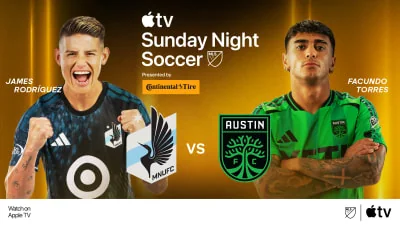
Short official web clips are the best first option for a reader who does not need the entire broadcast. They load around a single moment or compact match story and are easier to share than a replay. They are not evidence that a full match is freely available on the open web. Complete replays belong in the Apple TV workflow described above and require the applicable subscription access.
Clip inventory can change as the page updates, and regional playback restrictions or technical requirements may apply. Do not save a nonofficial mirror simply because it appears above the league page in search. The MLS domain and Apple TV destination give you clear provenance, accurate team labels, and a better chance of avoiding edited or misleading uploads.
When to choose a match recap, Every Goal, or MLS Wrap-Up
A match recap is narrow. Select it when one fixture matters and you want the important incidents without the full broadcast. Apple's Recap is the video route; MLS's written match-recap pages add narrative context and can connect clips to the result. The two forms complement each other, but only the video lets you see the sequence.
“Every Goal” is broader and more literal. Apple's current MLS destination and the MLS video hub use goal-centered collections for viewers who want the scoring across a matchday. This is efficient, but it naturally omits goalless drama, goalkeeping, defensive performances, and non-scoring incidents that can decide a table race.
MLS Wrap-Up is a produced post-matchday overview. It is useful after you watched one full game and need the rest of the league's story. It should not be confused with a permanent archive of every individual highlight package. Current Apple shelves show Wrap-Up alongside other content types, and the arrangement can change as new matchdays arrive.
A sensible order for a busy fan is: read the scores and match list only if spoilers are acceptable, watch Every Goal for the scoring sweep, then open a match recap for any game that needs more context. Choose the full replay first when the score is still unknown and the complete contest matters.
Subscription, languages, devices, and regional limits
Full MLS access in 2026 is included with an Apple TV subscription rather than a separate MLS Season Pass purchase. On August 13, MLS listed $12.99 per month in the United States and $14.99 CAD in Canada after a seven-day trial for eligible new subscribers. Price, tax, trial eligibility, and country availability can change. “Included” means no additional MLS add-on; Apple TV itself remains a paid subscription unless a specific promotion applies.
Apple Support lists the Apple TV app on iPhone, iPad, Mac, Apple TV hardware, Apple Vision Pro, Windows PCs, Android mobile devices, supported smart TVs, streaming devices, game consoles, and cable set-top boxes. The web route works at tv.apple.com/sports, including supported browser environments. Hardware, software, internet, and data requirements apply.
Apple says the complete 2026 MLS match offering has no blackouts, but it also says features, content, and availability may vary by country or region. That caveat matters for menus, clip shelves, and languages. After a replay begins, Spanish audio can be selected; some replays also offer French. Never turn “some” into “all.”
The free official MLS video hub can satisfy many short-highlight searches, while the complete Apple replay path needs the relevant Apple TV access. An Apple TV subscription does not automatically include unrelated third-party channels, rentals, or purchases shown in the same application.
How to avoid spoilers and solve common replay problems
Apple confirms replay access but does not promise a universally spoiler-free interface. If the result is unknown, avoid the games-today page, standings, notifications, social feeds, search headlines, and highlight thumbnails. Open Apple TV directly, search for the club or MLS, and navigate to Past Matches. This reduces exposure; it cannot guarantee that every device hides scores or result-related artwork.
If the full replay is not obvious, confirm four things before assuming it is unavailable: the match has ended, you are signed into the subscribed Apple Account, you chose Watch instead of Recap, and you searched both the MLS shelf and exact matchup. Refresh the page or app after a reasonable processing interval. Apple's official instructions establish the replay option but do not establish an identical publication time after every final whistle.
If playback fails, update or restart the app, test the supported web route, and check the Apple service/account information shown on the device. Regional and software requirements can cause one device to display a different experience. This is basic isolation advice, not a diagnosis of Apple systems. Persistent account or playback errors belong with Apple Support.
Finally, be skeptical of old tutorials. Steps involving a separate 2026 MLS Season Pass payment, a fixed “three versions” control, or a shelf that has since moved may reflect a historical app layout. Use the current Recap/Watch wording from Apple's February 2026 support document.
Choose the right MLS video for the time and detail you need
| Your goal | Best starting format | Why |
|---|---|---|
| See one finish quickly | Goal clip | Isolates the scoring moment |
| Catch the scoring across the slate | Every Goal | Broad, goal-centered review |
| Understand one result | Match highlights / Recap | Includes key action beyond goals |
| Understand the league-wide night | MLS Wrap-Up | Organizes multiple matches |
| Study the entire contest | Full replay | Preserves chronology and broadcast context |
If you have only a few minutes, begin with a goal clip or the official match-highlights page. With a longer break, use Recap or Every Goal. Set aside a full match window when formations, momentum, off-ball work, and substitutions matter. These time choices are practical recommendations, not promises about the fixed runtime of an official package.
For a game that has not started, use the TV schedule. For a completed fixture when spoilers are acceptable, use scores and results to identify the match, then follow its official video. For spoiler-free intentions, skip those pages and enter Apple TV directly.
The durable distinction is between selection and completeness. Clips, Every Goal, recaps, and Wrap-Up select moments for speed; a full replay retains the match's sequence. Apple TV provides the official complete-replay route, while MLSsoccer.com provides the most accessible official web index for current highlights and goals. Choose the format first, and the correct destination becomes much easier to find.
Comments
Comments are reviewed before publication.
Spam, abusive content, personal information and policy-violating links are not published.
Sign in with Google to comment or reply.
Loading comments…