For the 2026–27 youth season, start with the official MLS NEXT Academy Division schedule and Academy Division standings. Make the season, age group, conference and club match before treating a fixture or ranking as relevant to your team.
This guide was checked on November 10, 2026. It explains the announced calendar, the difference between league and qualifying-event records, and what to do when an official lookup does not display its data. It does not substitute an unverified “live” table for the organizer's record or turn an event window into a team's confirmed itinerary.
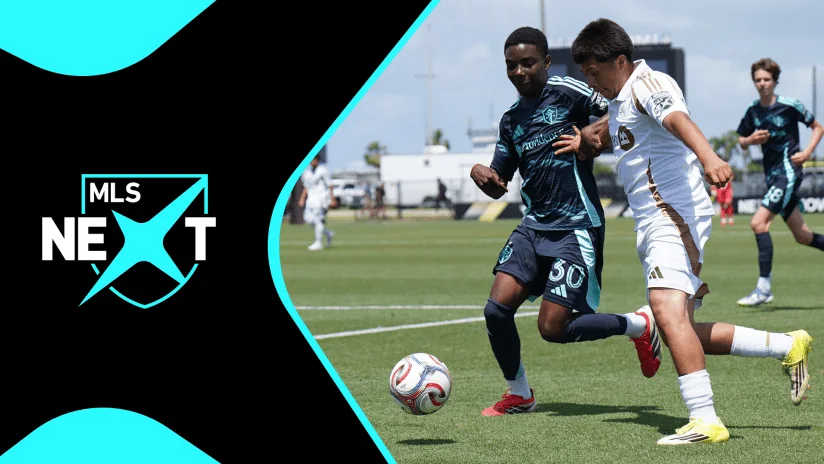
Cover image published by MLSsoccer.com: MLS NEXT youth action identified as LAFC versus Seattle. It illustrates the platform, not a verified Academy Division fixture.
Start with the right division and season
The most useful first check is the competition label above the table. The official Academy page says MLS NEXT Academy Division Standings. The default MLS NEXT standings page instead identifies the Allstate Homegrown Division. Both belong to the youth platform, but a result found on one page should not be presented as a result from the other.
MLS NEXT Pro is another distinct competition. A familiar club name or a second-team badge does not turn a professional reserve match into an Academy Division fixture. If that is the competition you intended to follow, use our MLS NEXT Pro guide before continuing. This article concerns the youth Academy Division.
Write down five details before searching: division, season, age group, conference and club. Those details form a useful label for everything you save afterward. A club name on its own is a weak identifier because a youth organization can appear in more than one competition or field several age-group teams. Do not assume that finding the right badge means finding the right match.
Why a 2026 search can return two seasons
A calendar-year search is especially easy to misread. The youth season ending in 2026 is labeled 2025–26; the campaign beginning later in 2026 is 2026–27. MLS's official new-season announcement identifies 2026–27 as the second campaign with both the Homegrown and Academy divisions.
An older directory, tournament report or saved search result can therefore be relevant to 2026 without describing the current season. Check the season printed on the destination page rather than relying on the year in your search box. A useful saved note would say “Academy Division, 2026–27, club, age group, conference,” followed by the date you checked it.
If the page does not make the season clear, keep that uncertainty attached to the information. Do not relabel it yourself. A parent comparing two records should first make their labels match; otherwise an apparent missing result or change in position may simply come from looking at different competitions.
Find your team’s Academy Division schedule
Begin with the official Academy Division schedule. During our November 10, 2026 browser check, that page loaded its Academy heading but did not display fixtures. That observation does not establish that a team has no game, or that every visitor will see the same page state. If it happens to you, continue through your club's current schedule information or the responsible regional operator.
The 2026–27 rules assign scheduling to the operator. Home teams propose match venues and kickoff times subject to approval. A calendar copied earlier in the season therefore needs to be checked against the current fixture and the team's latest instructions.
Match the age group and conference
Use your five-part label to judge the destination, whether you arrived through the national site, an operator or a club message. Look for the Academy Division, the 2026–27 season and the specific team you follow. If the listing does not identify its age group or conference clearly enough, ask the club which competition the link represents before saving it as the team's main calendar.
Event names also need scrutiny. Cal North's guide to the completed October 30–November 1, 2026 Roseville qualifier provided separate Academy and Showcase schedule links. A family could recognize the right event and still open the wrong set of fixtures. The practical lesson is to follow the exact team and competition label, rather than stopping when the tournament name looks familiar.
Save the opponent and date alongside the schedule link. If you later need help finding a missing fixture, “our U16 Academy match against this opponent on this date” gives the club a more useful question than “the schedule is wrong.” Keep a shortened club nickname as a convenience, not as the only identifier in your record.
Confirm the individual fixture before traveling
Check the match date, kickoff, venue address and field number separately. A sports complex can host several games at once, and a familiar club name is not a complete destination. Read any timezone label rather than assuming that a national page displays your device's time or the venue's time. Where the label is unclear, obtain confirmation from the team.
Arrival instructions deserve their own check. Roseville's 2026 event guide, for example, distinguished Friday parking from weekend overflow parking. That historical instruction is not a current parking recommendation; it shows why the day-specific venue guide can matter even after you have found the correct match.
Before leaving, reopen the current fixture and the latest club communication. If the two disagree, preserve the difference and seek clarification. Choosing whichever time is more convenient does not resolve the conflict.
Read the standings without comparing the wrong teams
The official Academy Division standings page is the appropriate starting destination. Our November 10 check displayed its heading but no team rows, so this guide does not name a current leader. A missing table is a reason to seek the current operator record, not a reason to treat every club as having zero points.
The 2026–27 Academy rules describe official league standings for U15–U19, including wins, losses, ties, goals, total points and points per match. A win earns three points, a tie one and a loss zero. The rules also provide for referee reporting and team verification; a result seen immediately after a game should not automatically be treated as the final public record.
Keep the age-group distinction in view. The announced U13/U14 qualification approach uses Quality of Play, so a younger team's development ranking should not be casually relabeled as the same points contest as an older age group's league table. Use the rules and labels for the team you follow.
Points and games played answer different questions
Here is a fictional example, rather than a claim about current clubs. Team A has 18 points from nine matches; Team B has 16 from seven. A has collected more points, but its points per match are 18 ÷ 9 = 2.00. B's rate is 16 ÷ 7, approximately 2.29. Total points and rate of collection answer different questions because the teams have played unequal schedules.
That calculation does not award B future wins. Nor does it mean you should rearrange an official table using your preferred measure. Read the operator's published order and the applicable season regulations, particularly when clubs are tied. Senior MLS's table rules are not a shortcut to resolving a youth Academy tie.
When comparing records, match the season, age group and conference first, then note games played and the table's checked-at date. Keep regular-season results separate from an event group, showcase or older archive. If a result is corrected later, update your note while preserving which version you originally saw. That produces a more useful record than a screenshot whose competition label has been cropped away.
Key dates in the 2026–27 Academy Division calendar
The announced MLS NEXT season began September 5, 2026. Its broader event calendar places MLS NEXT Fest on December 2–13, 2026, and MLS NEXT Cup on June 5–13, 2027. Those are event windows, not a statement that one Academy team plays on every listed day. The national calendar also includes competitions with different entry routes, so it should not be copied wholesale into a team's personal itinerary.
For the Academy Division's regional qualifying calendar, these are the published windows checked on November 10, 2026. Scottsdale has two age-specific blocks, which is why ten regional events produce eleven rows below.
| Dates | Regional event | Important distinction |
|---|---|---|
| October 9–12, 2026 | Utah | Past window at this guide's check |
| October 30–November 1, 2026 | Roseville | Past window at this guide's check |
| November 20–23, 2026 | Southeast | Autumn event |
| February 26–March 1, 2027 | Scottsdale | U13–U14 block |
| March 5–8, 2027 | Florida | Spring event |
| March 26–29, 2027 | Scottsdale | U15–U19 block |
| April 9–12, 2027 | Ohio | Spring event |
| April 23–26, 2027 | Mesa | Separate regional event |
| April 23–26, 2027 | New Jersey | Different from the Hammonton Regional |
| April 23–26, 2027 | Kansas | Separate regional event |
| April 30–May 3, 2027 | Hammonton | Later regional window |
The dates come from the official 2026–27 season calendar; autumn entries fall in 2026 and spring entries in 2027. The official events page also identifies regional associations and venues. Use those details with your club's instructions, rather than choosing an event solely because its name or location looks convenient. A place on the national calendar does not establish your team's assignment.
Keep three levels in your calendar. First, save the overall event window as a planning reminder. Second, add your team's confirmed attendance block when the club supplies it. Third, add individual matches only when their opponents, locations and kickoff details are available. This keeps an early reminder useful without making it look like a finished travel schedule.
For example, the two Scottsdale blocks are a meaningful distinction for families following different age groups. A single reminder called “Scottsdale, spring” loses the information needed to plan the correct weekend. The New Jersey and Hammonton labels deserve similar care: a shared town does not make their different regional windows interchangeable.
The published national calendar identifies some future dates as subject to change. Recheck the current announcement before making commitments, and treat a later official revision as an update to the plan. This table preserves the season's announced structure; it cannot replace a subsequently issued match schedule.
Why age groups and regional calendars differ
A familiar team nickname does not always provide enough information to find this season's fixtures. Registration groupings and regional organization can both affect the label you need. Resolve those details before concluding that a team has disappeared from the schedule.
The Academy Division uses school-year registration
For 2026–27, the official age-group announcement sets Academy Division registration around August 1–July 31. The Homegrown Division retains January 1–December 31 birth-year groupings. The distinction matters when you move between the two divisions or compare this season's listing with an older one.
For a schedule search, ask the club for the exact 2026–27 team and age-group label it uses in Academy competition. Save that label even if the family normally uses a shorter birth-year nickname. A registration boundary explains why names can change; it does not let a supporter decide a player's eligibility without the club's actual roster information.
When two siblings or friends play in different environments, keep a separate competition record for each. Reusing one player's age-group assumption for another can send both fixture searches in the wrong direction. The useful task here is identifying the correct team, rather than trying to reconstruct the registration process from a search result.
A regional break is not a missing national schedule
The Academy regular season is regionally organized, and the official overview describes a calendar built around high-school schedules. MLS's March 2026 conference announcement also identified scheduling opportunities, travel efficiency and costs as reasons for adjusting the structure. Those features help explain why there is no reason to expect every region to follow the same sequence of weekends.
If one club has fixtures while another appears inactive, check their actual regional schedules before treating the difference as an error. A local break is one possible explanation; it is not a conclusion you can establish from an empty page alone. The same caution applies when a club's tournament dates differ from its ordinary league calendar.
A practical family calendar can distinguish “no fixture confirmed” from “team confirmed no match.” The first still needs an answer; the second records a decision communicated by the club. Keeping those states separate prevents an unresolved lookup from quietly becoming a firm plan for the weekend.
Follow the route from regional qualifiers to MLS NEXT Cup
For 2027, the published Academy Division allocation identifies, in each age group, 20 places through league play, with Quality of Play applying to U13/U14, two through the Cup Play-In and ten through regional qualifier wins. That is 32 places per age group in the stated Academy allocation. It is separate from the announced expansion of the older Homegrown Cup fields.
Read those routes as different ways to establish a berth, rather than as three sets of results to combine in one league table. A regional event can have its own match format and group scoring. The completed 2026 Roseville qualifier, for example, used shootouts to resolve regulation ties and allocated event points accordingly. That does not mean those shootout results should be added to an ordinary regular-season win-loss-tie record.
A useful qualification check asks three questions. Which route is this team following? What does the current age-group and event regulation require? Has the relevant organizer confirmed the berth? A promising league position or a family calculation can explain the stakes without establishing an official qualification decision.
The season label remains essential when looking for examples. Sporting City won the U17 Academy Division championship in May 2026, closing its 2025–26 campaign. Sporting Kansas City's report described that season's qualification arrangements. It is a record of a completed tournament, not a substitute for the newly announced 2026–27 routes.
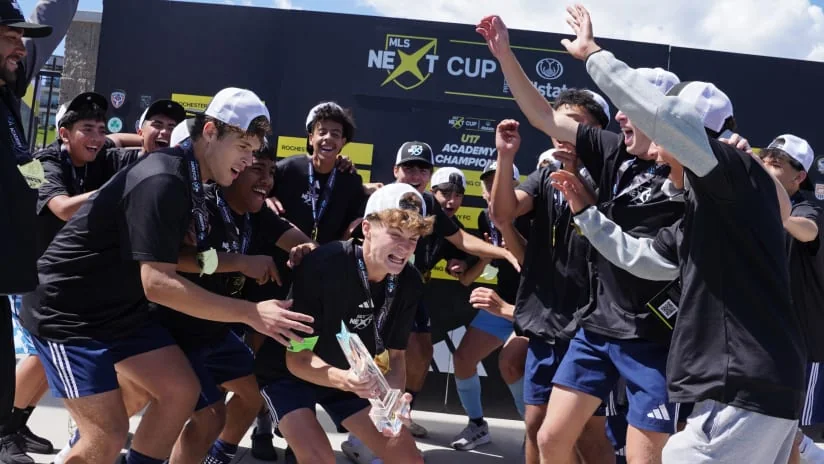
Once a berth is confirmed, shift from following a route to checking that team's actual Cup schedule. An event window does not identify its first opponent or guarantee a particular arrival and departure day. Keep those details open until the club and organizer supply the relevant fixtures.
Watching is a separate question again. Our MLS NEXT Cup video and replay guide explains how to identify official coverage. A recording from 2026 is not evidence that the same round, channel or match will be available live in 2027. Check the new edition's coverage announcement alongside the fixture.
Keep a reliable weekly schedule and results record
A small personal record is more useful than an unlabeled collection of screenshots. Put the division, season, club, age group and conference at the top once. For each fixture, retain the opponent, date, stated kickoff, venue or field, source link and the time you last checked it. This is a planning aid, not an alternative official table.
Give each entry a clear status. “Event reminder” means a window is on your calendar. “Fixture confirmed” means you have the actual match details. “Result awaiting confirmation” records an observation that still needs checking. “Official record revised” should point to the operator's updated information, rather than to a supporter changing a number in a spreadsheet.
For example, you might initially save the announced regional event weekend without adding an opponent. When the club sends its fixtures, replace that reminder with the relevant matches and keep the event link attached. If one kickoff later changes, update that match instead of moving the whole weekend or leaving two conflicting versions in different calendars.
Use a similar approach after the game. Record where a result came from and check it against the appropriate official standings when available. If it appears incorrect, raise the specific match through the club's normal channel. An operator-posted record and a family note have different authority; keeping their origins visible makes a correction easier to understand.
When a rule question arises, check that the document itself says Academy Division and the correct season. The general MLS NEXT branding is not enough. For routine planning, retain only the public match information you need; there is no reason to publish a child's registration details or private team messages. The goal is a dependable path back to the current fixture and official result whenever the plan changes.
Comments
Comments are reviewed before publication.
Spam, abusive content, personal information and policy-violating links are not published.
Sign in with Google to comment or reply.
Loading comments…